GitHub Actions
GitHub Actions help to automate tasks within the software development life cycle. GitHub Actions are event-driven, meaning they can be triggered after a certain specified event. This feature is quite helpful for projects having a large number of contributors.
Use of GitHub Actions:
As it is event-based, it can be used to:
- Greet a new contributor, give a list of resources relevant to the project and thus make the project beginner-friendly.
- Auto-assign any issue to the contributor for a specific number of days.
- Run some tests before merging the PR and ensure the code is working fine.
- Configure CI/CD pipeline. and much more ...
Important terms:
Workflows: It is an automated procedure that can be added to the repository. Workflows are made up of one or more jobs and can be scheduled or triggered by an event.
Events An event is any activity that triggers a workflow. For example: raising a PR, merging a commit, etc.
Jobs A job is a set of steps that execute in the same runner. By default, a workflow with multiple jobs will run those jobs in parallel. You can also configure a workflow to run jobs sequentially. For jobs to run sequentially use:
requires: <job name>
# replace <job name> with the job name that needs to run completely before the current job
- Steps: A step is an individual task that can run in a job. A step can be either an action or a shell command.
 For eg:
  steps:
      - uses: actions/checkout@v2               # action
      - run: npm install -g bats                # shell command
Actions: Actions are standalone commands that are combined into steps to create a job. You can create your custom actions, or use actions created by the GitHub community from their marketplace.
Runners: A runner is a server that has the GitHub Actions runner application installed. You can use a runner hosted by GitHub, or you can host your runner. Each job in a workflow runs in a fresh virtual environment. The OS options available are Windows, Linux, macOS.
NOTE : GitHub Actions uses YAML syntax to define the events, jobs, and steps.
These YAML files are stored in your code repository, in a directory called .github/workflows.
Learning YAML Syntax
name:   learn-github-actions                    # name of the workflow
on:  [push]                                     # specify event here like push / pull request etc
jobs:                                           # specify series of jobs to be performed
  check-bats-version:                           # name of the job
    runs-on:  ubuntu-latest                     # specify OS
    steps:                                      # specify series of steps to be performed under a job
      - uses:  actions/setup-node@v2            # specify action here
        with:
          node-version: '14'                    # specify software name
      - run: npm install -g bats                # standalone command
      - run: bats -v                            # standalone command
More Information
Read about GitHub Action here
View it
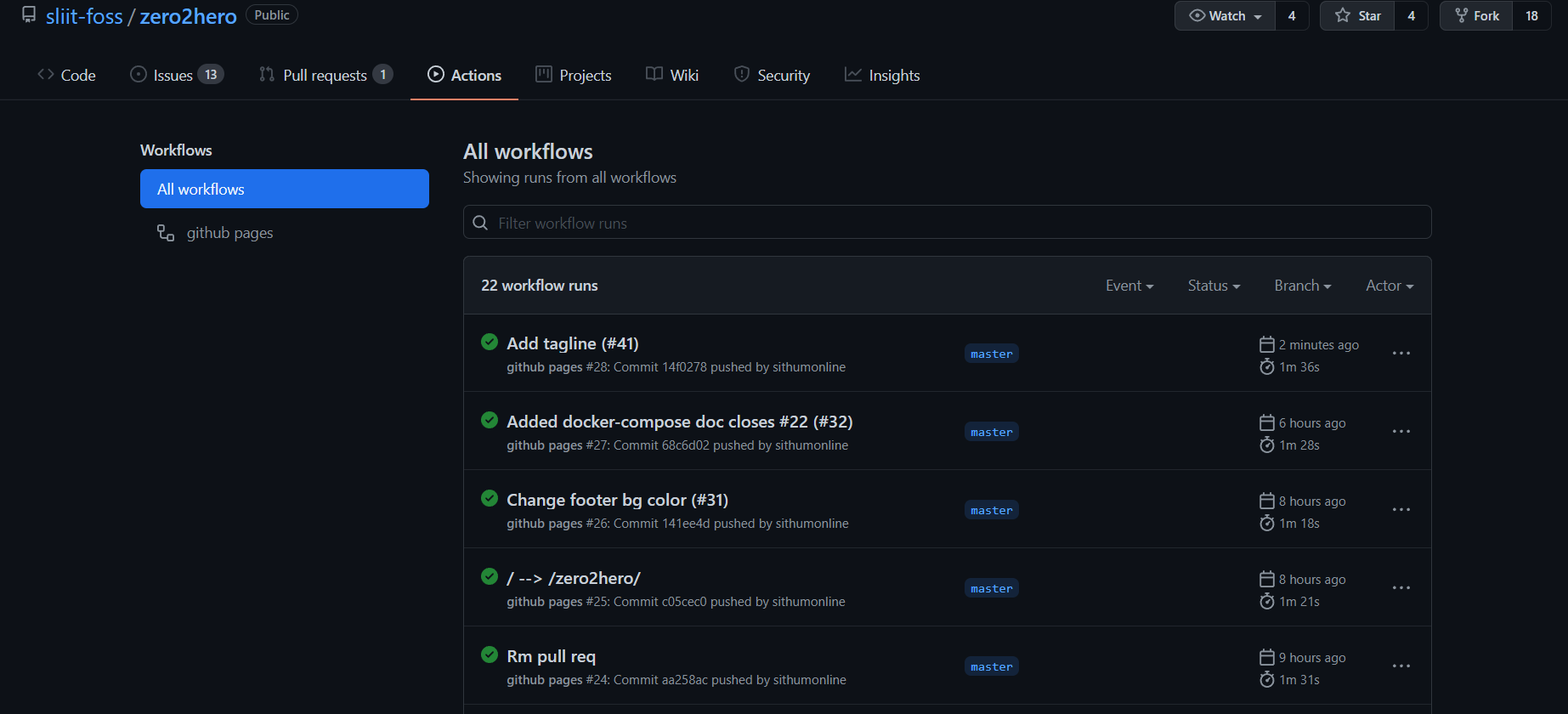
After having configured the GitHub Action, navigate to the Actions tab.

View the detailed report of the workflow